Your Slumberjack air mattress relies on a built-in pump system that needs periodic charging to function properly. Understanding the correct charging procedure ensures your airbed stays ready for camping trips, guests, or outdoor adventures without unexpected failures. The charging process is simple, but one common mistake—using the wrong cable type—leads to frustration and failed charging attempts. This guide walks you through everything you need to know to charge your air mattress pump reliably and avoid common pitfalls.
The key to successful charging lies in using the specific USB-A to USB-C cable that came with your airbed. Many users assume any USB-C cable will work, but this assumption often results in a pump that flashes red and refuses to charge. The wattage requirements for airbed pumps are specific, and only the original cable delivers the appropriate power specifications your pump needs.
Required USB-A to USB-C Cable for Slumberjack Air Mattress Charging

Your Slumberjack air mattress pump requires a USB-A to USB-C charging cable to receive power correctly. This is not a recommendation—it’s a strict requirement for successful charging. The USB-A end connects to your power source, while the USB-C end plugs into the pump’s charging port.
The cable that arrived with your airbed purchase is specifically designed to deliver the wattage your pump’s battery needs. Generic USB-C cables you might use for phones or other devices often cannot provide sufficient power output for airbed pumps. These alternative cables may charge other devices effectively, but they lack the power delivery specifications necessary to recharge your air mattress pump’s internal battery.
When setting up your charging station, locate the original cable and examine both ends before connecting anything. The USB-A end is the rectangular connector that goes into wall adapters, power banks, or computer USB ports. The USB-C end is the smaller, oval-shaped connector that inserts into your pump. Using any other combination—USB-C to USB-C, USB-A to older connector types, or third-party cables—will likely result in failed charging attempts.
Why USB-A to USB-C Is Mandatory for Airbed Charging
Many users mistakenly believe that since their smartphone uses USB-C, any USB-C cable should work for their airbed. This misunderstanding leads to the most common charging failure. Airbed pumps require higher power delivery than smartphones, and the original cable is engineered specifically for this purpose.
The rectangular USB-A connector provides consistent power flow that USB-C to USB-C connections sometimes fail to maintain. When you substitute cables, you’re not just changing the physical connector—you’re altering the entire power delivery system that your pump relies on for proper charging.
Why Cable Type Determines Charging Success or Failure
Not all USB-C cables support the same power delivery capabilities, and this distinction is crucial for airbed charging success. The charging system in your Slumberjack air mattress pump is engineered to accept power at specific wattage levels. When you connect a cable that cannot deliver this power output, the pump’s internal circuitry detects insufficient power and triggers the red flashing indicator to signal the problem.
This safety mechanism prevents damage from improper charging but creates confusion when users don’t understand why their “working” cable won’t charge their airbed. A cable that charges your smartphone perfectly may still fail to charge your air mattress pump because smartphones typically require less power input than airbed pumps.
How to Identify Your Original Charging Cable
The original cable should have specific markings that distinguish it from your other USB cables. Look for subtle differences in the cable thickness, connector color, or manufacturer labels. The USB-A end is typically black or white plastic, while the USB-C end might have a different color housing. If you’ve mixed up cables, assume that the one that came packaged with your airbed—often neatly coiled and stored in a dedicated compartment—is the correct one to use.
Four-Step Slumberjack Air Mattress Charging Procedure
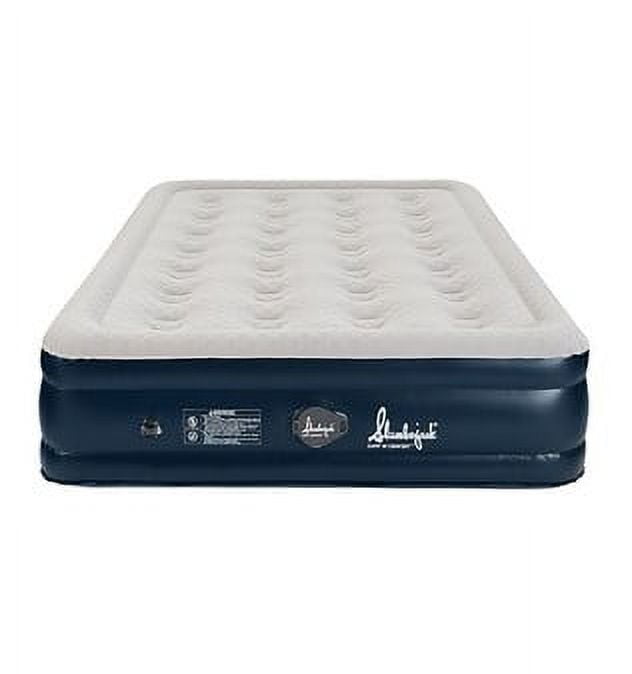
Charging your Slumberjack air mattress pump follows a straightforward four-step process. Taking your time with each step ensures a solid connection and complete charge before your next use.
Begin by locating the original USB-A to USB-C charging cable that came with your airbed. Check that both connectors are clean and free of debris, as dirt or dust on the metal contacts can interfere with power transfer. If the cable shows any signs of damage—fraying, bent connectors, or exposed wiring—replace it before attempting to charge.
Next, connect the USB-A end of the cable to a compatible power source. A wall adapter rated for standard USB output works best, though computer USB ports and portable power banks can also provide sufficient power. Ensure your power source is functioning correctly by testing it with another device if possible.
Insert the USB-C end firmly into the charging port on your airbed pump. The connector should slide in smoothly with minimal resistance. A secure connection is essential—loose connections cause intermittent charging or prevent charging entirely. You may feel a slight click when the connector seats properly.
Allow the battery to charge fully before disconnecting. Most pumps require several hours to reach a complete charge from a fully depleted state. Avoid the temptation to use the airbed while it’s charging, as this can extend charging time and potentially affect battery longevity over repeated cycles.
Diagnosing Red Flashing Light Issues on Your Slumberjack Pump
When your Slumberjack air mattress pump flashes red and refuses to charge, the indicator light is communicating a specific problem. This flashing pattern typically means the pump is receiving power, but not enough power to successfully charge the battery. Rather than indicating a broken pump, this usually points to a simple cable or connection issue.
The first troubleshooting step is the most effective solution for the majority of charging failures: verify you are using the original USB-A to USB-C cable. Users frequently switch to “better” or “faster” cables they already own, not realizing these alternatives lack the specific wattage output their airbed pump requires. Even if another USB-C cable appears identical, its internal power delivery specifications may differ significantly.
Immediate Fixes for Flashing Red Light Problems
Before concluding your pump is faulty, try these quick solutions:
- Disconnect and firmly reconnect both ends of the cable
- Clean the USB-C port on your pump with a dry, soft brush
- Try a different power source while using the original cable
- Check if your power source is actually delivering power by testing with another device
Optimal Power Sources for Slumberjack Air Mattress Charging

Selecting an appropriate power source impacts charging efficiency and overall battery health. Wall adapters provide the most consistent power delivery and typically charge pumps faster than alternative sources. Use the adapter that came with your airbed if available, or select a standard USB-A wall charger rated for standard charging speeds.
Computer USB ports work for charging but generally deliver less power than wall adapters. This means charging times will be longer, sometimes significantly so. If you’re charging from a laptop or desktop computer, connect directly to a USB port rather than through a USB hub, as hubs can further reduce available power.
Portable power banks offer flexibility for charging during camping trips or outdoor use. Ensure your power bank has sufficient capacity and can output power through USB-A ports. Some power banks automatically shut off when they detect low power draw, which can interrupt charging if your power bank doesn’t recognize the airbed pump as a device needing consistent power flow.
Preserving Your Slumberjack Air Mattress Battery Life
Following good charging practices extends your air mattress pump battery’s effective lifespan and ensures reliable performance across many uses. Batteries in airbed pumps, like all rechargeable batteries, degrade faster with improper charging habits or storage conditions.
Charge your pump fully before storing it for extended periods. A partially charged battery left unused for weeks or months can discharge completely, which stresses the battery cells and reduces overall capacity. Periodic charging during storage—every few months for seasonal items—keeps the battery in good condition.
Avoid letting the battery drain completely before recharging. While modern batteries have protection circuits that prevent damage from deep discharge, consistently draining to zero before recharging accelerates capacity loss. Recharge when you notice the pump running slower or when the battery indicator shows low levels.
Protecting Your Slumberjack Charging Cable for Long-Term Reliability
The USB-A to USB-C charging cable is a critical component that requires proper care to maintain reliable charging performance. Treat this cable as an essential accessory rather than an afterthought, as replacement cables with identical specifications can prove surprisingly difficult to source.
Wrap the cable loosely when storing rather than wrapping it tightly around the pump or power adapter. Tight winding stresses the internal wires and can cause premature failure at the bend points near the connectors. Many users damage cables this way without realizing it, leading to intermittent charging issues that develop over time.
How to Store Your Charging Cable Properly
- Keep it in a small fabric pouch with your airbed accessories
- Avoid folding it at sharp angles when storing
- Never wrap it tightly around the pump housing
- Store it in a cool, dry place away from direct sunlight
- Keep it separate from sharp objects that could damage the insulation
Understanding Slumberjack Air Mattress Charging Timeframes
Understanding typical charging times helps you plan ahead and avoid interrupting the charging process prematurely. Most Slumberjack air mattress pumps require between three and six hours to reach a full charge from a completely depleted battery, depending on your power source and cable quality.
Wall adapters provide the fastest charging, typically achieving full charge in the lower end of this range. Computer USB ports extend charging time considerably, sometimes requiring eight hours or more for a complete cycle. Power bank charging times vary widely based on the power bank’s capacity and output specifications.
Signs Your Charging Process Is Complete
The pump’s indicator light usually changes color or stops flashing when the battery reaches full charge. Most models transition from red flashing to solid green or simply stop flashing when charging completes. Consult your specific model’s manual for confirmation, as indicator patterns can vary slightly between Slumberjack air mattress versions.
Essential Tips for Successful Slumberjack Air Mattress Charging
Successful charging of your Slumberjack air mattress comes down to one essential practice: using the correct USB-A to USB-C cable that came with your purchase. This cable delivers the specific wattage your pump requires, and alternative cables rarely work regardless of their quality or specifications.
Store your original cable carefully and inspect it regularly for damage. When charging problems arise, the cable is the most common culprit, and verifying cable integrity should be your first troubleshooting step. Keep the cable with your airbed rather than separating them, ensuring you always have the right equipment when charging is needed.
Choose appropriate power sources and allow sufficient time for complete charging before use. Maintaining good charging habits extends battery lifespan and ensures your airbed is ready whenever you need it. With proper care and attention to these details, your Slumberjack air mattress pump will provide reliable service for many seasons of comfortable sleeping.